A booking diary your team can read
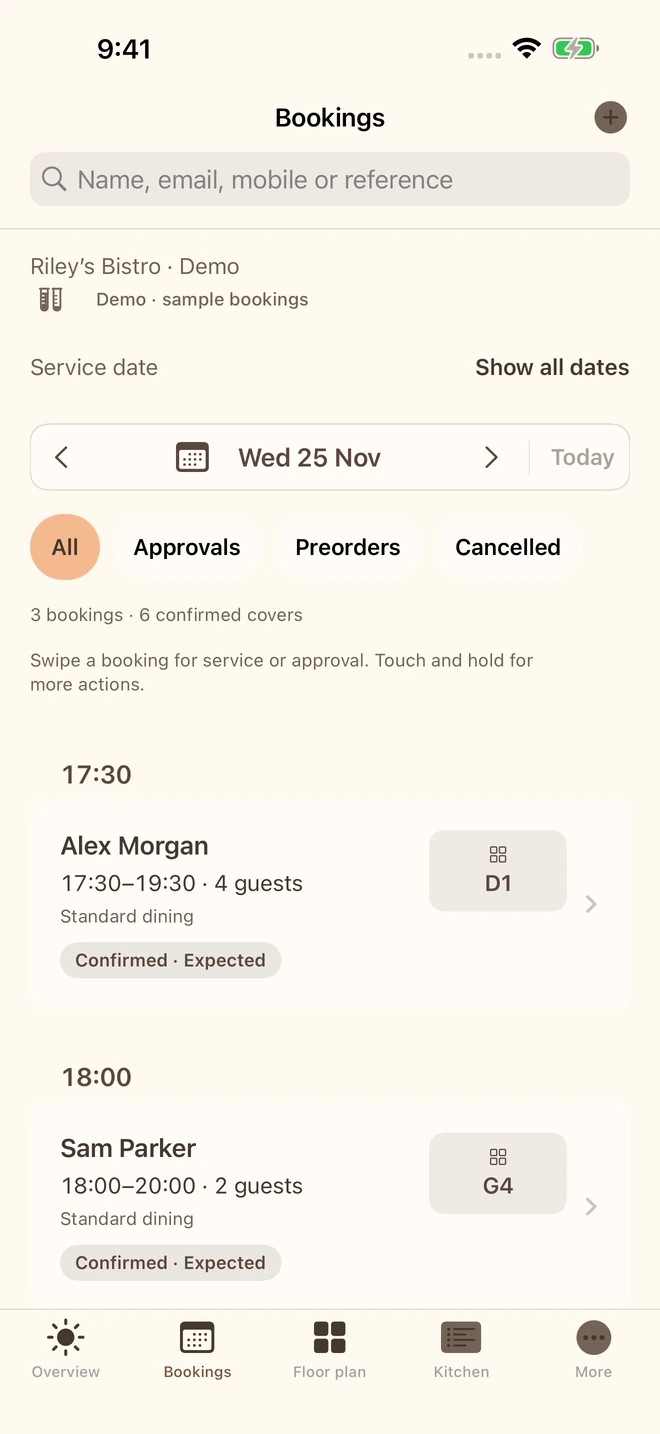
See arrival times, party sizes and booking notes. Keep requests needing approval separate from confirmed reservations.
Restaurant bookings & group preorders
Bookings, tables and group preorders.
Together in one place.
From the first reservation to the kitchen’s prep sheet, TableWren helps your team see what’s coming and get ready for it.
Built for iPhone & iPad · Launch enquiries welcome
From booking to service
A practical home for the details your restaurant runs on.
See arrival times, party sizes and booking notes. Keep requests needing approval separate from confirmed reservations.
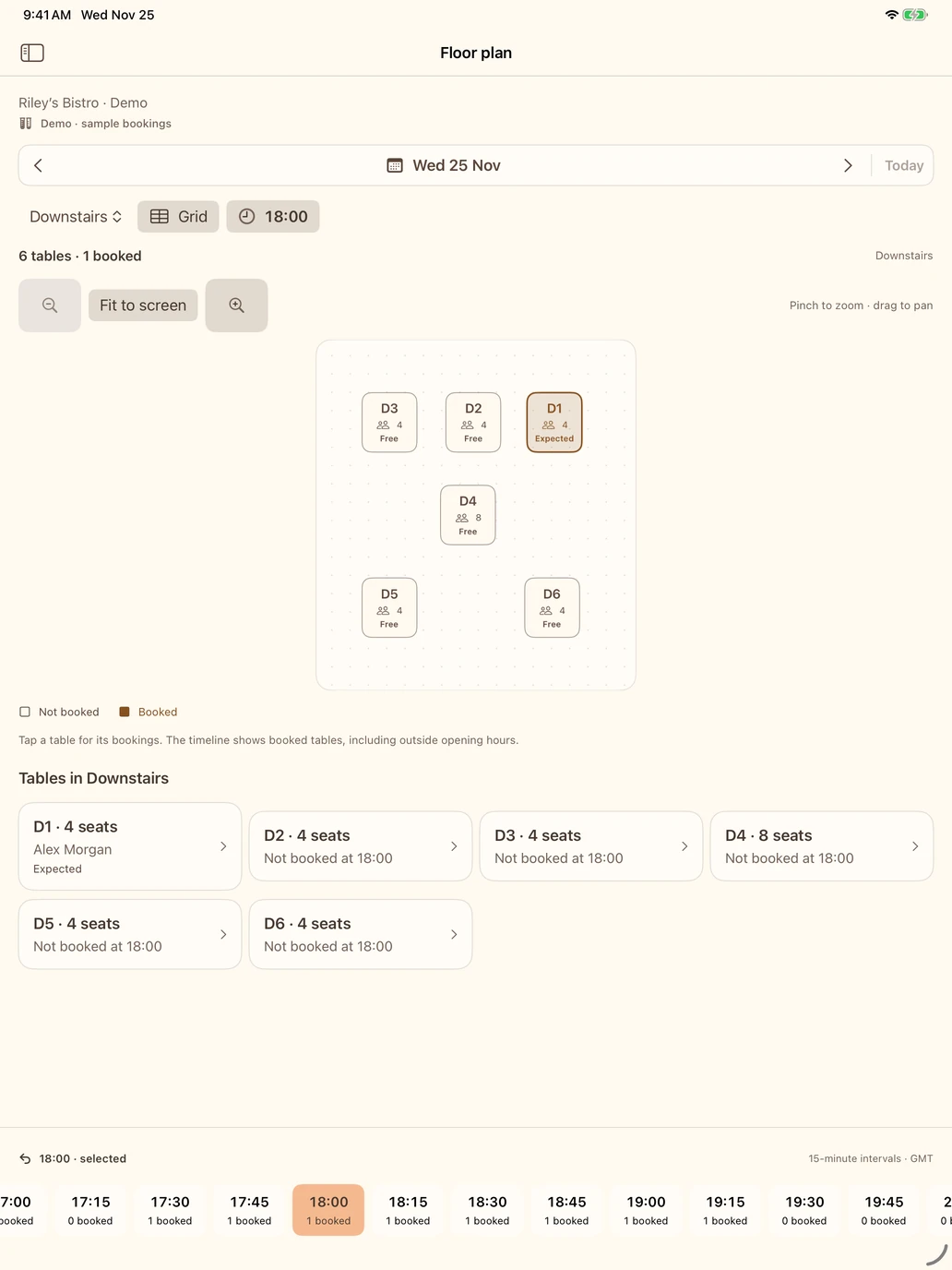
Arrange your floor plan, switch between areas and look ahead through the service. Pinch to zoom when you need a closer view.
Track expected guests and arrivals, use the waiting list and keep useful guest history together.
Give staff access to their restaurant, use shared-device staff profiles and review reports to help plan ahead.
Make group dining easier
Spend less time piecing together everyone’s food choices.
Add your menu and decide which party sizes need a preorder. The organiser handles the whole party’s choices, so the booking and its meals stay together.
Ask for a preorder walkthrough FROM BOOKING TO KITCHEN
Add dishes, choices and menu categories, including seasonal options alongside your regular menu.
Choose the party-size threshold and agree the cutoff for getting orders in.
Review dishes, quantities and choices against the booking, with incomplete orders clearly identified.
Prepare the day’s preorders or a single booking’s sheet. Share a PDF or print, with meals grouped by booking.
Your restaurant, online
We’re preparing an embedded booking widget for restaurant websites, alongside individual restaurant preorder pages.
Tell us how your website works when you enquire. We’ll confirm what’s ready and what your restaurant needs before you go live.
Planned launch pricing
Starting in West Cumbria, with a founding offer for the first 25 restaurants.
Founding restaurant offer
Your first month free.
£49.99 / month
For months 2–12, per restaurant.
£79.99/month from month 13.
First 12 months: £549.89 in total.
Standard launch price
£79.99 / month
Per restaurant.
Launch pricing is shown for planning. Eligibility, final terms and any applicable VAT will be confirmed before you enrol. This website does not take payments or create a subscription.
A few useful answers
We’re preparing for launch and arranging restaurant access by invitation. Enquire for a demonstration and a conversation about setup. Live public bookings and automated booking emails remain closed while launch checks are completed.
TableWren is designed for iPhone and iPad. We can walk through how your team would use individual accounts and a shared restaurant device.
Yes. You can organise dishes into categories, including seasonal dishes alongside the regular menu. The organiser manages the party’s preorder together.
We can review a sample export from your current system and agree a transfer plan. Please contact us first rather than emailing a guest list or private booking information.
We’ll check your requirements first, including deposits, card guarantees, website booking tools and any integrations you depend on. We’ll be clear about what TableWren supports before you decide.
Let’s talk restaurant life
Tell us your restaurant’s name, where you’re based and what you’d most like to make easier.
For app or restaurant-access help, email support@tablewren.app. Include your app version, device and a short description of the issue.
Please hide guest details in screenshots. Never send passwords, staff PINs, sign-in codes or private booking links.
For reservation, menu or dietary enquiries, contact the restaurant directly.